Vibe Study With AI: Flashcards, Tests & Chat All in Your Terminal

A while back, I was struggling with studying.
I had tons of videos saved, links bookmarked, PDF notes everywhere… but I felt overwhelmed. I would start watching a lecture and forget it the next day. I kept thinking — "There must be a better way to study, something smarter."
That’s when the idea hit me:
What if I could build a tool that takes all these materials — YouTube, web pages, files — and helps me study them using AI?
And that’s how MTABE was born. A command-line tool that became my study assistant, tutor, and even exam prep coach — all in one.
💡 Why I Created MTABE
I needed a simple tool that:
Helps me create flashcards from any topic
Generates custom tests to quiz myself
Allows me to chat with AI about what I’m learning
Works with YouTube, web content, PDFs, and more
Runs right from my terminal (no need for heavy apps)
And that’s exactly what MTABE does.
I’ve been using it quietly for months during my study sessions. It helped me vibe with learning in a way that felt fun and natural. So now, I’m finally ready to share it with all of you.
🚀 What MTABE Can Do
✅ Add Your Notes
You can load notes from different sources:
mtabe add mynotes -t                     # Type or paste notes
mtabe add lecture -y "https://youtube.com/..."  # From YouTube
mtabe add article -w "https://example.com"      # From website
mtabe add book-notes -l "D:\chapter1.pptx"      # From local path
🧠 Make Flashcards With AI
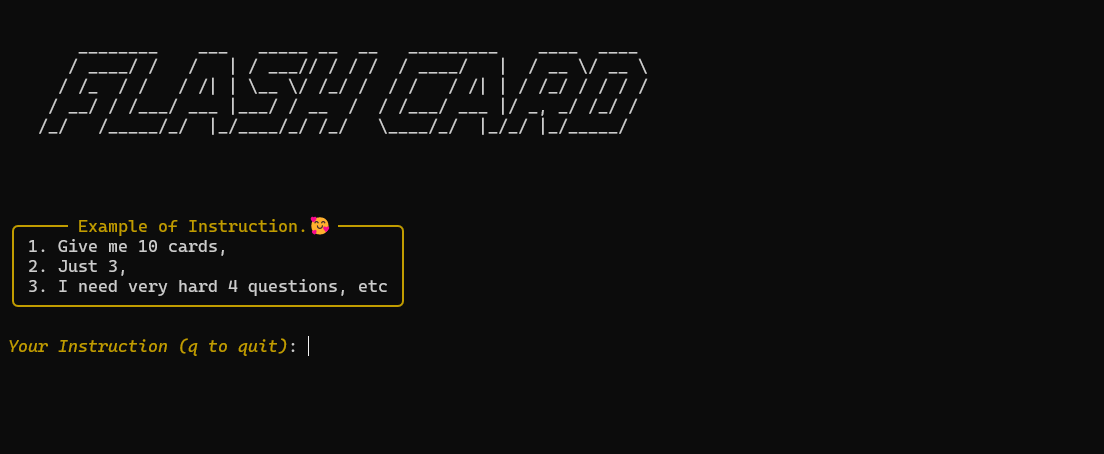
mtabe flash -f mynotes
mtabe flash -l "D:\myfile.pdf" #local path
mtabe flash -w "https://example.com"
mtabe flash -y "https://youtube.com/watch?v=xxxxx"
When requesting flashcards, specify the number you want or any more instructions (e.g., "Give me 10 cards")
Question
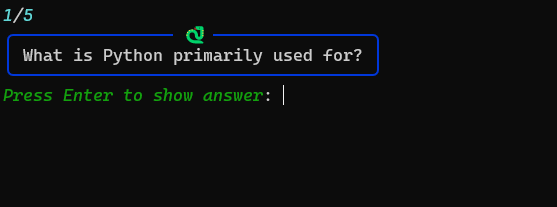
Answer

End Summary
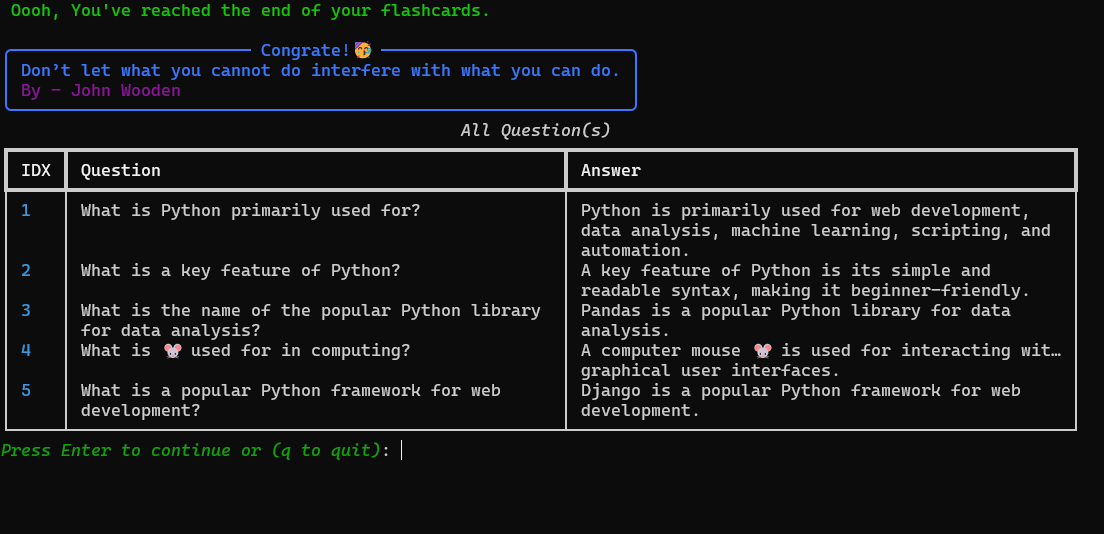
🧪 Generate Practice Tests
mtabe test -f mynotes
mtabe test -l "lecture-notes.pdf"
mtabe test -w "https://example.com"
mtabe test -y "https://youtube.com/watch?v=xxxxx"
You can specify question types:
Multiple choice
True/false
Essay
Fill in the blank
Short explanation
Short answer
Mix of different types
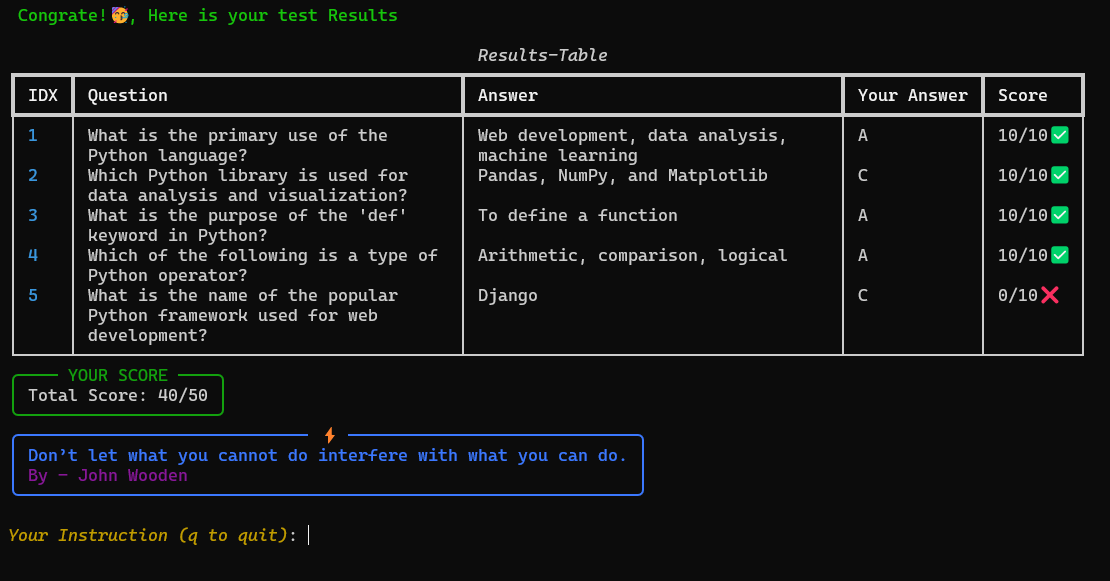
Example Multiple choice test
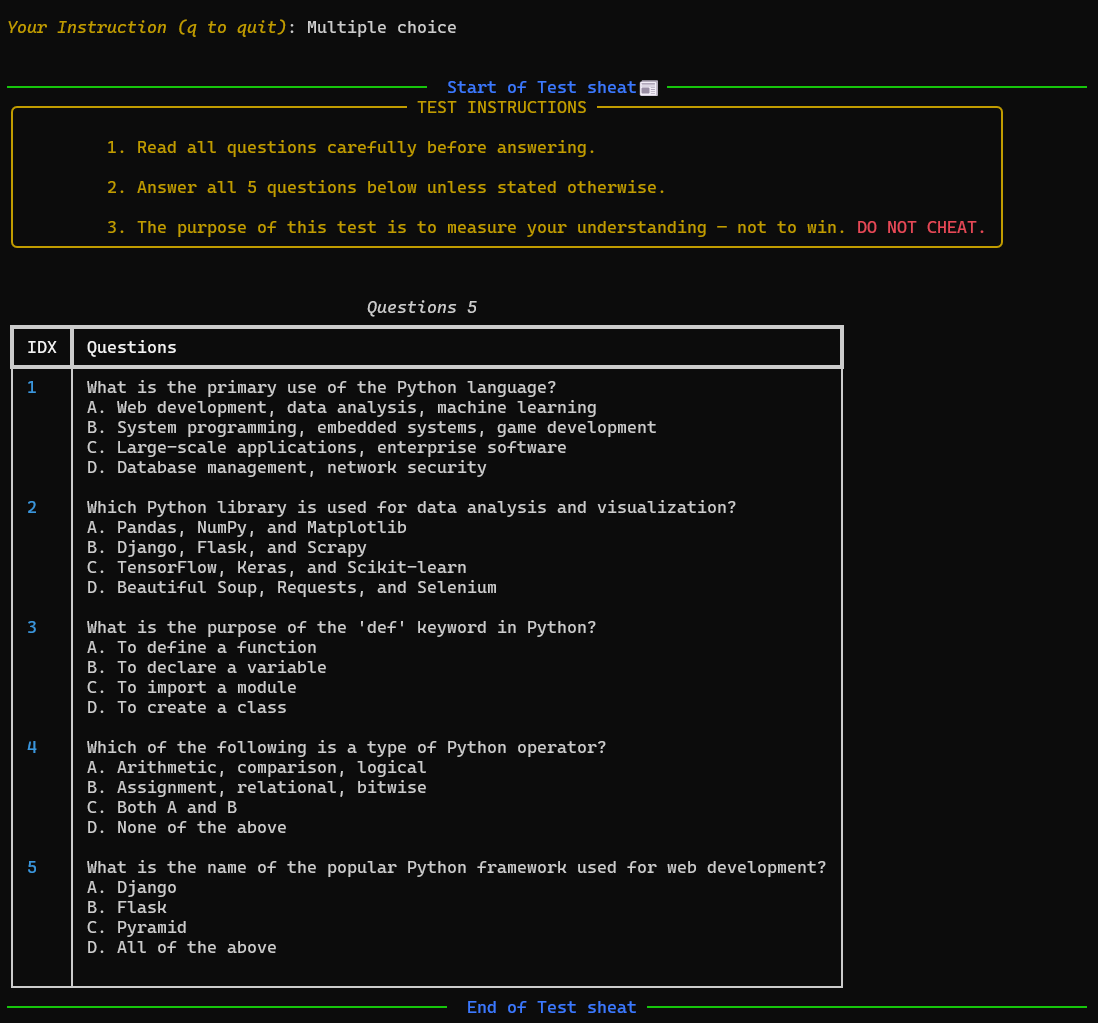
Test Results
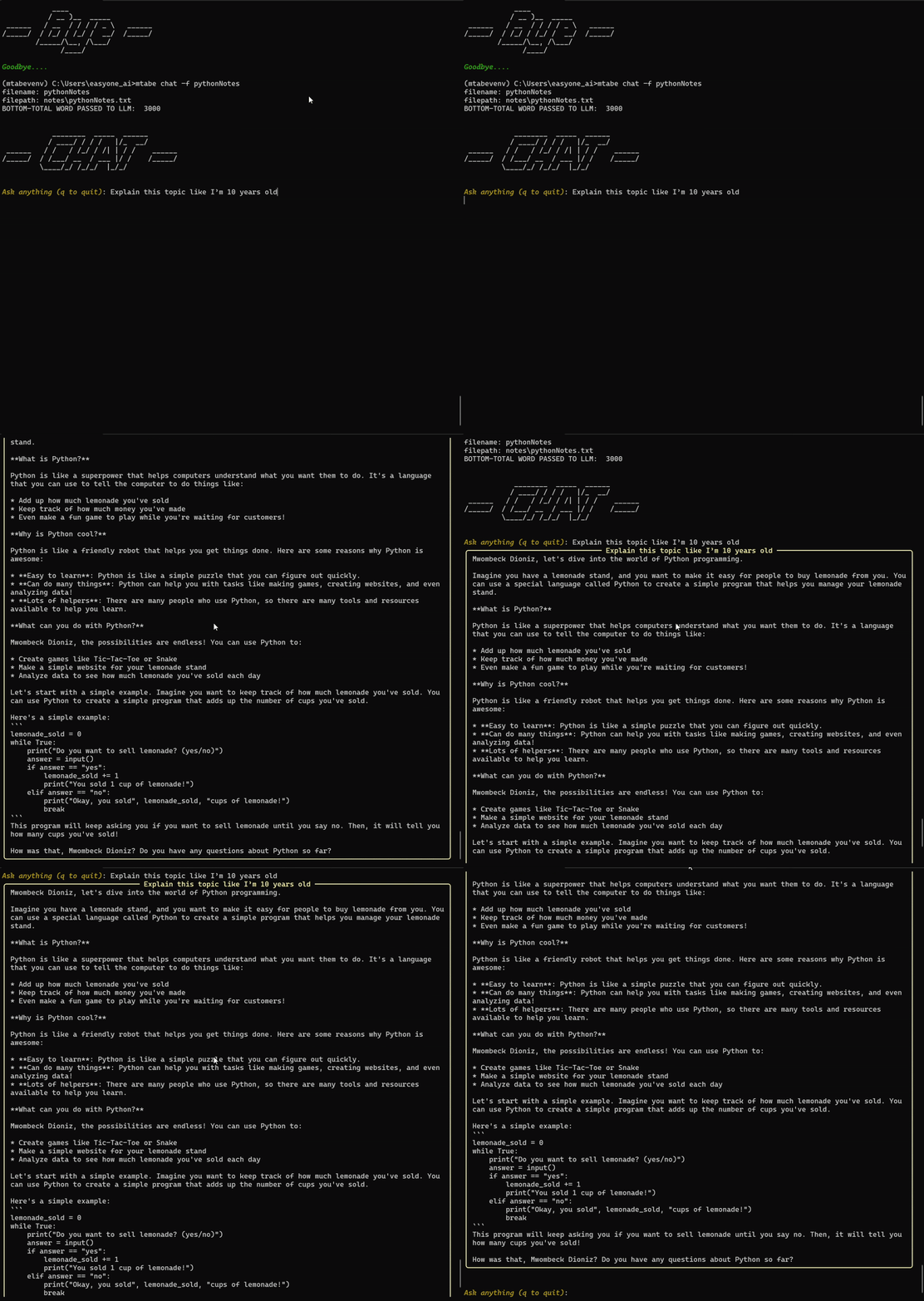
💬 Chat With Your Study Materials
mtabe chat -f mynotes
mtabe chat -l "unit2.pdf"
mtabe chat -w "https://example.com"
mtabe chat -y "https://youtube.com/watch?v=xxxxx"
Chat Examples:
“Explain this topic like I’m 10 years old.”
“Give me 3 examples of supply and demand.”
“Summarize the notes in 5 bullet points.”
“Quiz me on what I just uploaded.”
🛠 Setup Guide
python -m venv venv
source venv/bin/activate  # Windows: venv\Scripts\activate
pip install mtabe
First time you use MTABE, it will ask for:
Your Groq API key (you can get one from for free console.groq.com)
Your name, study level, and area of focus
This helps it personalize your study experience!
📁 Supported Formats
PDF, Word, Excel, CSV, PPTX
Text files
YouTube videos
Web articles
🔥 Why You’ll Love It
No need to open 10 tabs — study everything in one place
Easy to use, even if you're not a tech expert
You can create your own quizzes and flashcards instantly
It's open source — improve it if you want
It’s made by a learner… for learners 💛
✨ Ready to Try It?
🔗 GitHub: https://github.com/Henryle-hd/mtabe 📦 PyPI: https://pypi.org/project/mtabe/
If MTABE helps you, share it with a friend. If you want to suggest features or contribute, I'm always open to collab. Let's keep building tools that make learning fun and easy.
Thanks for reading!



